
Upgrading your Ubuntu-on-Windows install to the app version

Canonical
on 3 August 2017
Our team and Microsoft recently released Ubuntu as a Windows app store application! 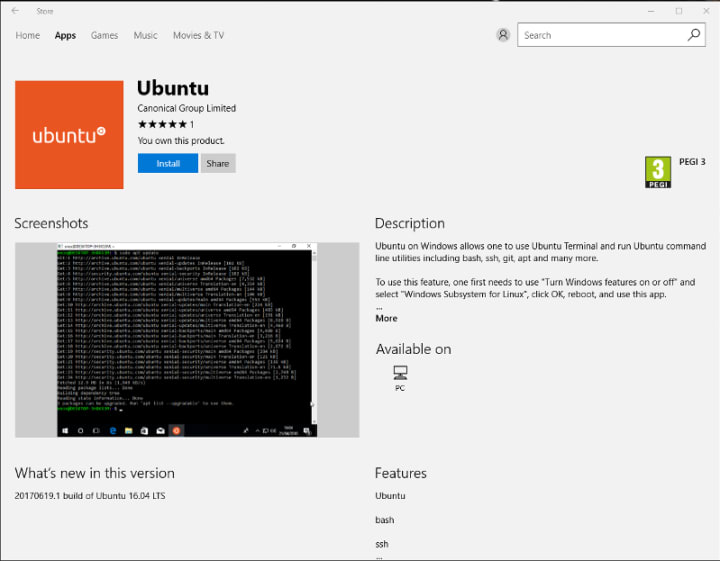 If you toyed with the “bash on Ubuntu on Windows” version before and would like to try the latest and greatest, read on!
Saving your data
If your “bash on ubuntu on windows” environment has some data you’d like to keep, make sure you back it up now. The uninstall process will nuke everything.
Uninstall the old way
This is relatively simple. Opening a command line (cmd.exe) terminal and typing
lxrun /uninstall
will destroy your previous environment.
Installing the new way
To find the app in the Microsoft store, just type “Ubuntu” in the search bar. Click install. Voilà!
Talk to us today
Interested in running Ubuntu in your organisation?
Newsletter signup
Related posts
Validating real-world skills through Canonical Academy
In an increasingly volatile job market, standing out from the competition is vital. For many in the open source community, formal recognition for self-taught...
Virtualized Android comes to Anbox Cloud
With our latest 1.30.0 Anbox Cloud release, available today, we are introducing one of the most significant evolutions of the platform to date: support for...
Template: Streamlining open source design contributions
As designers working at Canonical, we’re always thinking about open source. We believe that encouraging more designers to contribute to open source benefits...